technology
The Project Board Behind the Work
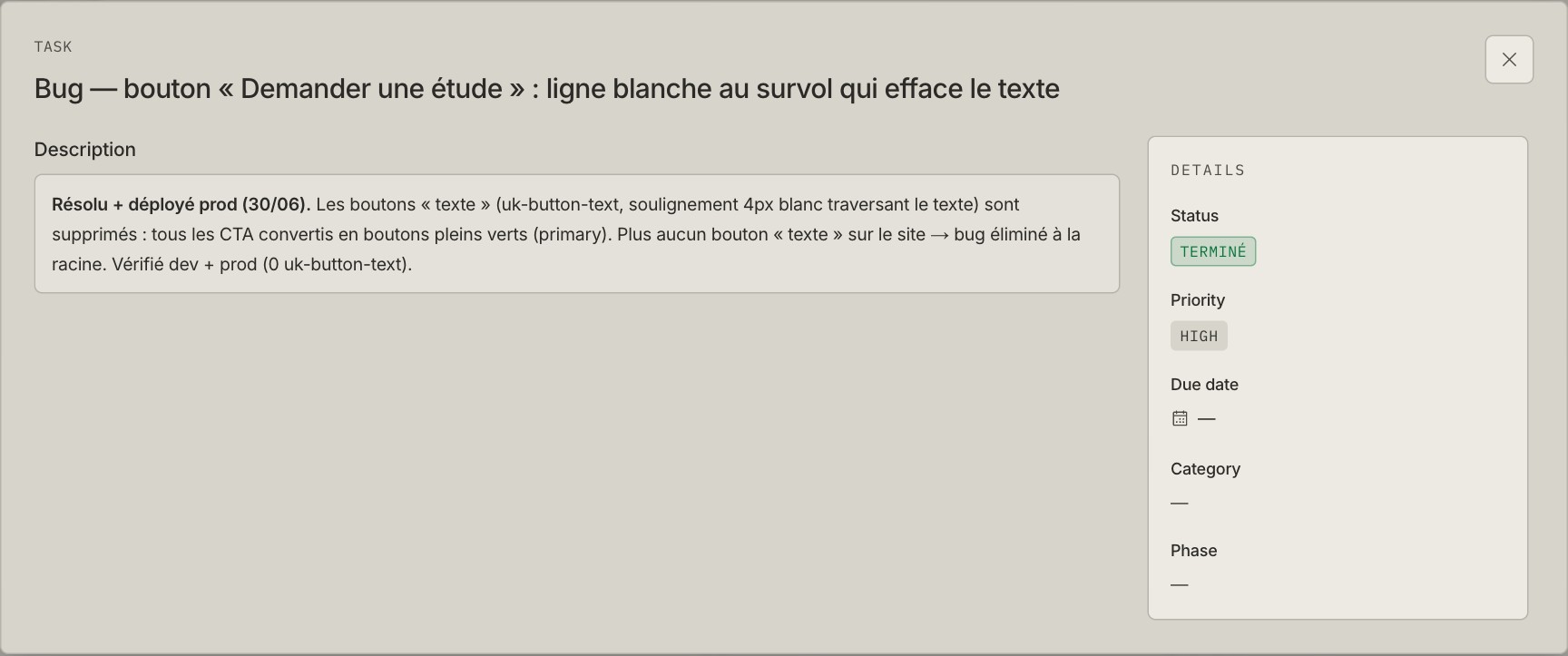
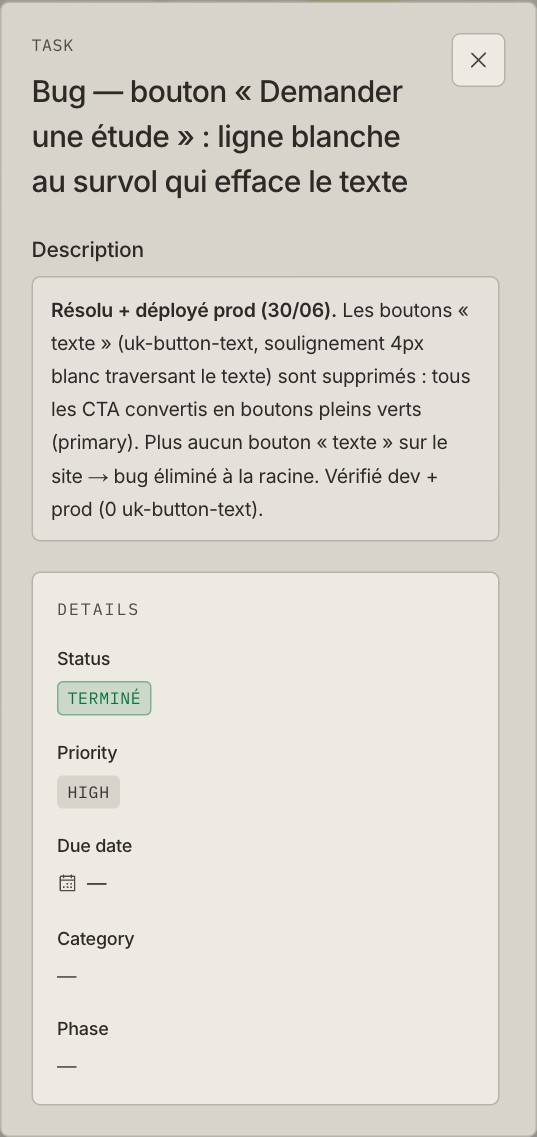
On the EVia project, we have a completed task for a four-pixel white line that wiped out a button’s text when you hovered over it. A small contribution to civilisation. Quite important if you wanted to read the button.
Federico can open that task, see what changed and read the result in French. He doesn’t need our code repository or an account in another tool. We keep the work, its status and the explanation in one place, with a separate view he can open through a link.
That’s the job of our project board. The columns are the easy part. Keeping what we tell the client attached to what we actually checked takes more work.
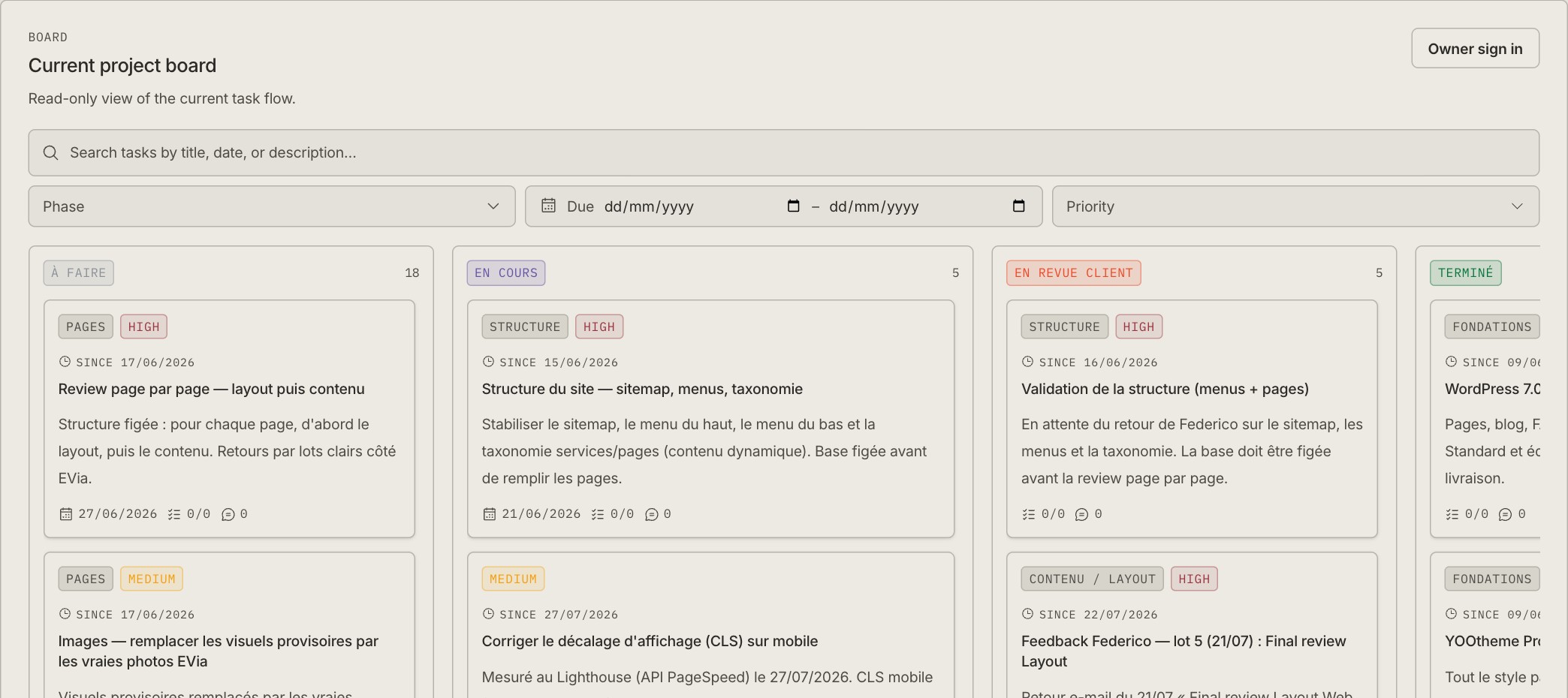
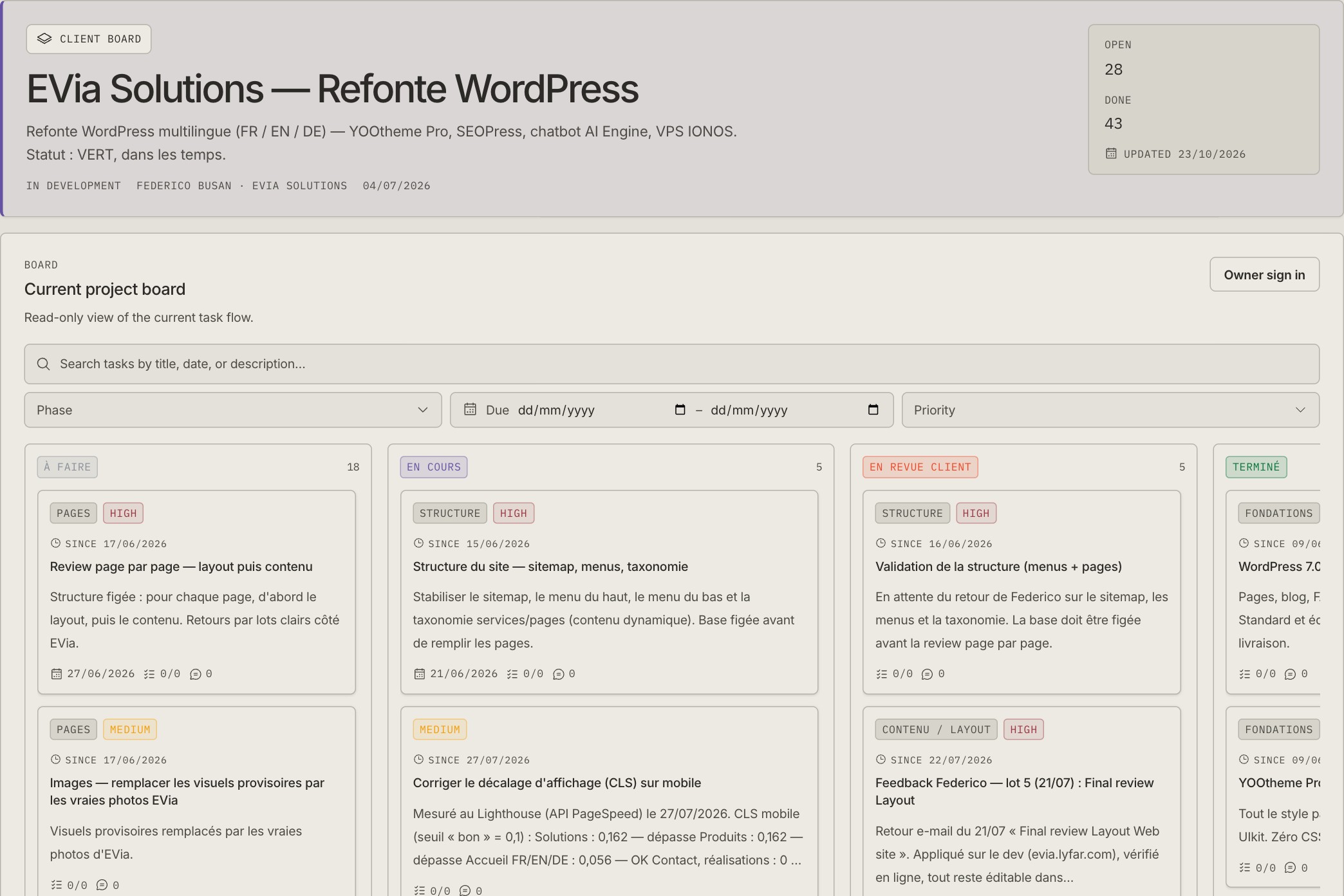
Real EVia board, captured on 23 October 2026. The board scrolls horizontally; this is the first part of it.
Federico sends feedback. We give it an address.
The EVia website involved French, English and German pages, product photos, menus, forms, hosting and several rounds of layout feedback. Federico is a friend. That helps with the conversation. It doesn’t make either of us remember which email contained the approved green.
We use Seeder , an open-source project manager by Daniel Syauqi and Thaqif Rosdi, under Lyfar Studio’s name and colours. Our copy runs at project.lyfar.com. The public repository is MIT-licensed, so you can inspect it and run your own. We adapted an existing tool instead of spending a client project inventing drag-and-drop rectangles.
The EVia board started from the work recorded in our first progress report, UPDATE-001. We use four columns: À faire, En cours, En revue client, Terminé. Planned, in progress, with the client, done.
That third column earns its space. I can finish a layout and still need Federico to approve the wording. If I put the card in Done, I hide a decision. If I leave it in progress, I make it look as though I’m still moving pixels around. The review column says who needs to act next.
Tasks also carry a phase, such as Pages, Langues & SEO or Lancement. Status tells us where the work stands. Phase tells us which part of the project it belongs to. You can filter the board by phase, priority and dates, or search the task text when your memory offers nothing more useful than “the thing with the green button.”
The third batch of Federico’s feedback is a good example. The task points back to his PDF and four supplied product photos. Its description records Roboto, the dark-green headings, homepage section order, product-page changes, footer spacing and the production deployment. You can follow a comment from its source to the page it changed.
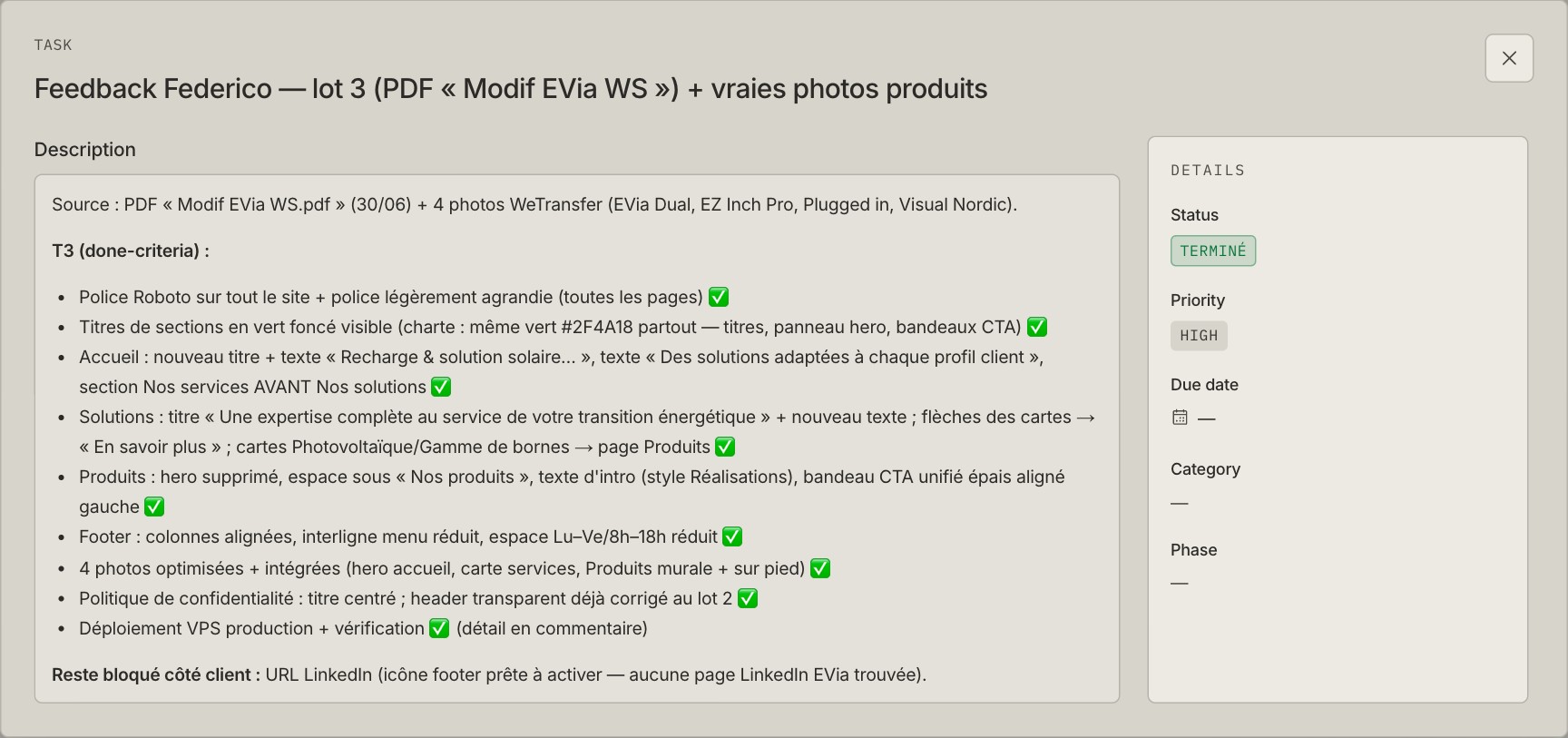
One batch of feedback, with the source and the acceptance criteria kept together. The remaining LinkedIn detail stays visible too.
“Make the website nicer” is a conversation. “Replace these four photos, use this green and check the result on the production site” is work someone can finish.
Done needs a sentence after it
The button task records the cause and the fix: the inherited text-button style drew a white underline through the label; we changed the calls to action to solid green buttons. The record also names the development and production checks.
That detail matters months later. A green badge tells me somebody moved a card. The description tells me what they thought they had finished.
After completing a task, we can publish a short client update from it. For EVia, we write those updates in French. The client gets a dated log about the site: translations deployed, redirects added, backups tested. We write the outcome in language Federico can use without translating it out of developer.
flowchart TB
  A[Client feedback] --> B[Task and acceptance criteria]
  B --> C[Build and check]
  C --> D[Client review when needed]
  D --> E[Completed task]
  E --> F[French client update]
There is a small rule in the implementation that I like. The service refuses to publish a client update from a task that hasn’t reached a terminal status:
if (!task.isTerminal) {
  throw new Error(
    "Only tasks in a Done (terminal) status can be published as client updates.",
  );
}
It also keeps one published update per task. Editing the summary updates that record; it doesn’t add another announcement of the same achievement.
The rule checks a status. It cannot tell whether the button works. That part still belongs to the person doing the verification. Giving a database a green colour palette has never qualified it to test a website.
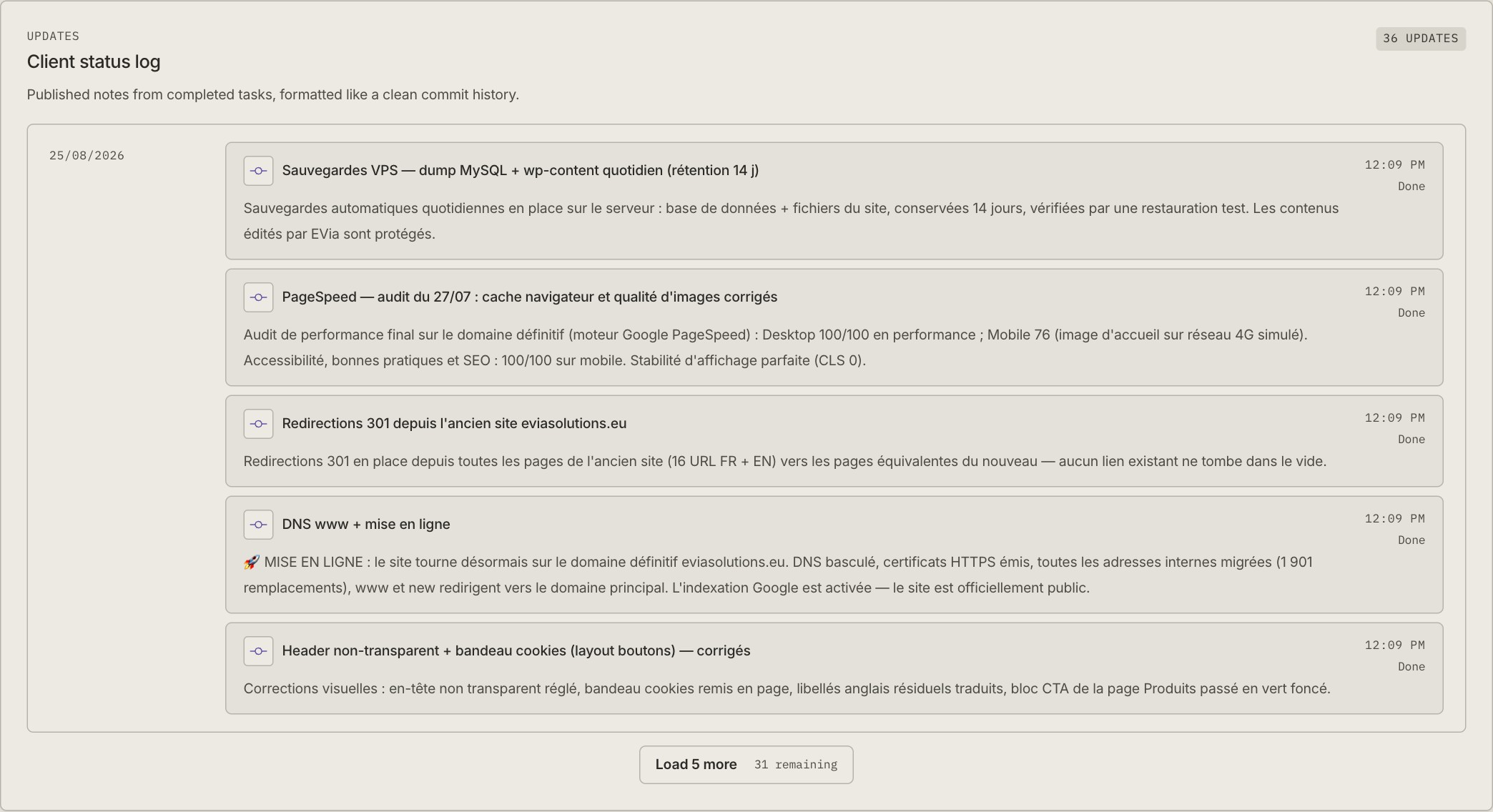
These are delivery notes from the live board. Their dates matter: a historical performance result is not a measurement taken today.
Our Typst progress reports cover the document side of the same work. The board holds the tasks and published updates; the report gives us a designed document to review or send. Writing the report is easier when the facts already have somewhere to live.
The same board has an API
Seeder includes an MCP server , so an assistant can read the project, find a task, add the result and move it through the same workflow we use in the browser. I don’t have to paste a week of card descriptions into a chat before asking what remains. It gives the agents I wrote about earlier a concrete place to read and record their work.
The web interface and MCP tools call shared services. Those services check access and record activity. This matters more to me than having an AI button somewhere in the navigation: changes made through an assistant should obey the application’s rules too.
In our studio workflow, agents read the EVia board at the start of a session. They work against a task with a finish condition, record what remains if they only finish part of it, and put newly discovered work in the backlog. A request to fix a menu doesn’t quietly grow into a redesign of the company.
We host the app on Cloudflare Workers. OpenNext adapts the Next.js application for that runtime, D1 stores the records, and R2 holds uploaded files. Those are implementation choices for our copy, not prerequisites for the workflow. You can keep a useful board without adopting my entire collection of software hobbies.
A client link deserves some care
The client view is read-only. The owner can choose whether it includes the board, full task descriptions and the update log. The public view reads the project’s Main branch and omits internal task comments. We apply those visibility choices before sending the data to the browser.
Its link contains a token. Anyone holding that link can use it, so we keep rates, credentials and internal business notes out of the shared material. The screenshots here exclude the address bar and access link. You can see the actual board without inheriting access to it.
I also have to keep it tidy. While preparing this post, I found older open cards beside later completion records. Some descriptions already said “fixed”; their cards hadn’t moved. The screenshots are a view of the board on a date, not a certificate that every old entry agrees with every newer one. I still need to reconcile those records.
That is useful embarrassment. I can see the discrepancy and follow it back to the work. A vague memory of a successful launch gives me less to inspect.
The recent PHP maintenance now has its own completed task too. The website keeps needing attention after launch, and its history stays with the project. The next time Federico asks what changed, I want to open a record, not begin an archaeological expedition through our email.
If you run client projects, take one recent request and write down what would count as finished. Give the client a way to see that result. Pick the software after you’ve made those two things clear.
Interested in this?
Learn about Technology →