technology
Our project reports have tiny pixel people. Blame Typst.
We use Typst to build Lyfar Studio scopes, progress reports and technical documents from editable source. The layout stays reusable; the dates stay in data files. I also put a pixel version of myself beside the work I’m responsible for.
He has glasses and ten millimetres of executive presence.
Typst is a typesetting system: you write text, layout rules and functions, then compile a document. You can use its web editor or work in local files. For the studio, that means a report can look like something we designed without rebuilding its tables and headings each time a project moves forward.
A report from the EVia build
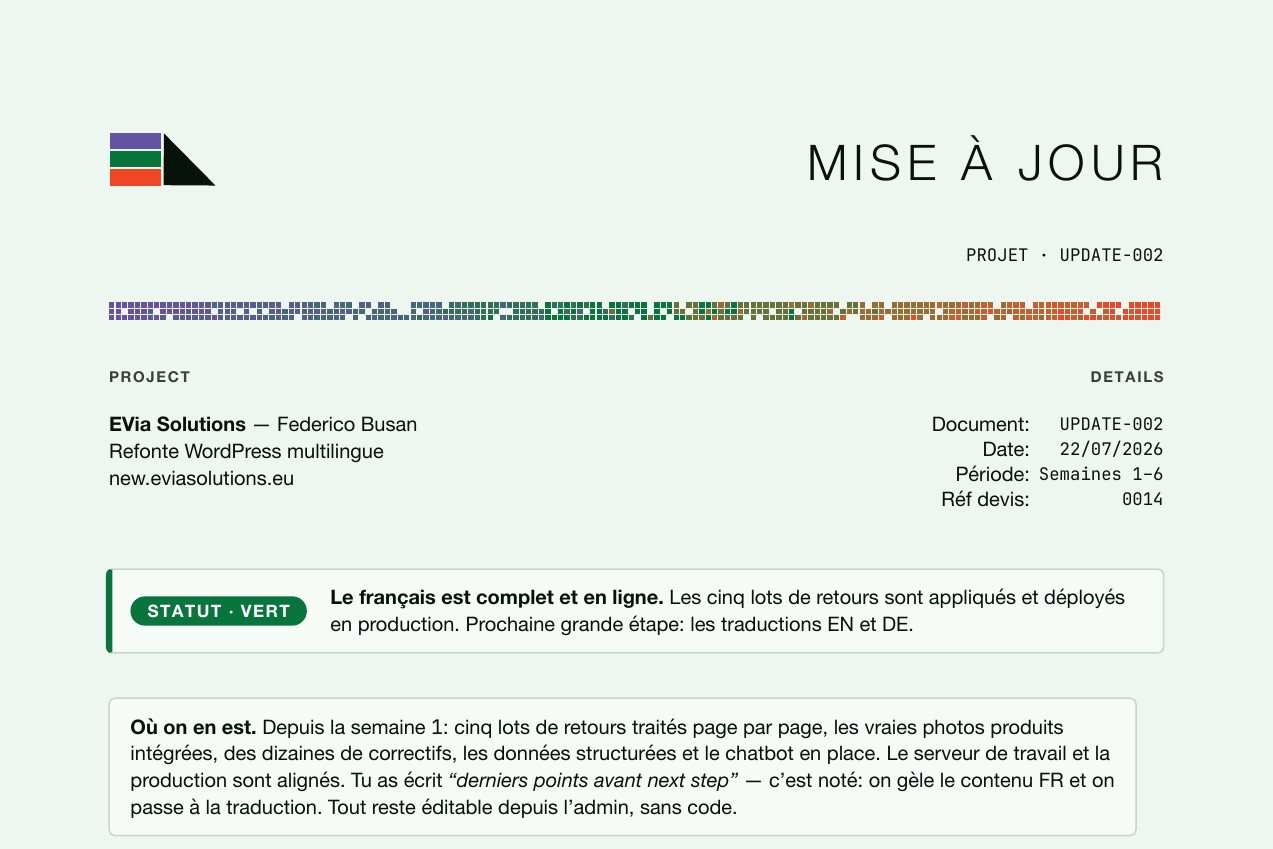
This is a page from the EVia progress report dated 22 July 2026. Five batches of feedback were complete. The French site was ready; English and German were next. The report gives Federico a status, the work behind it and the next decision.
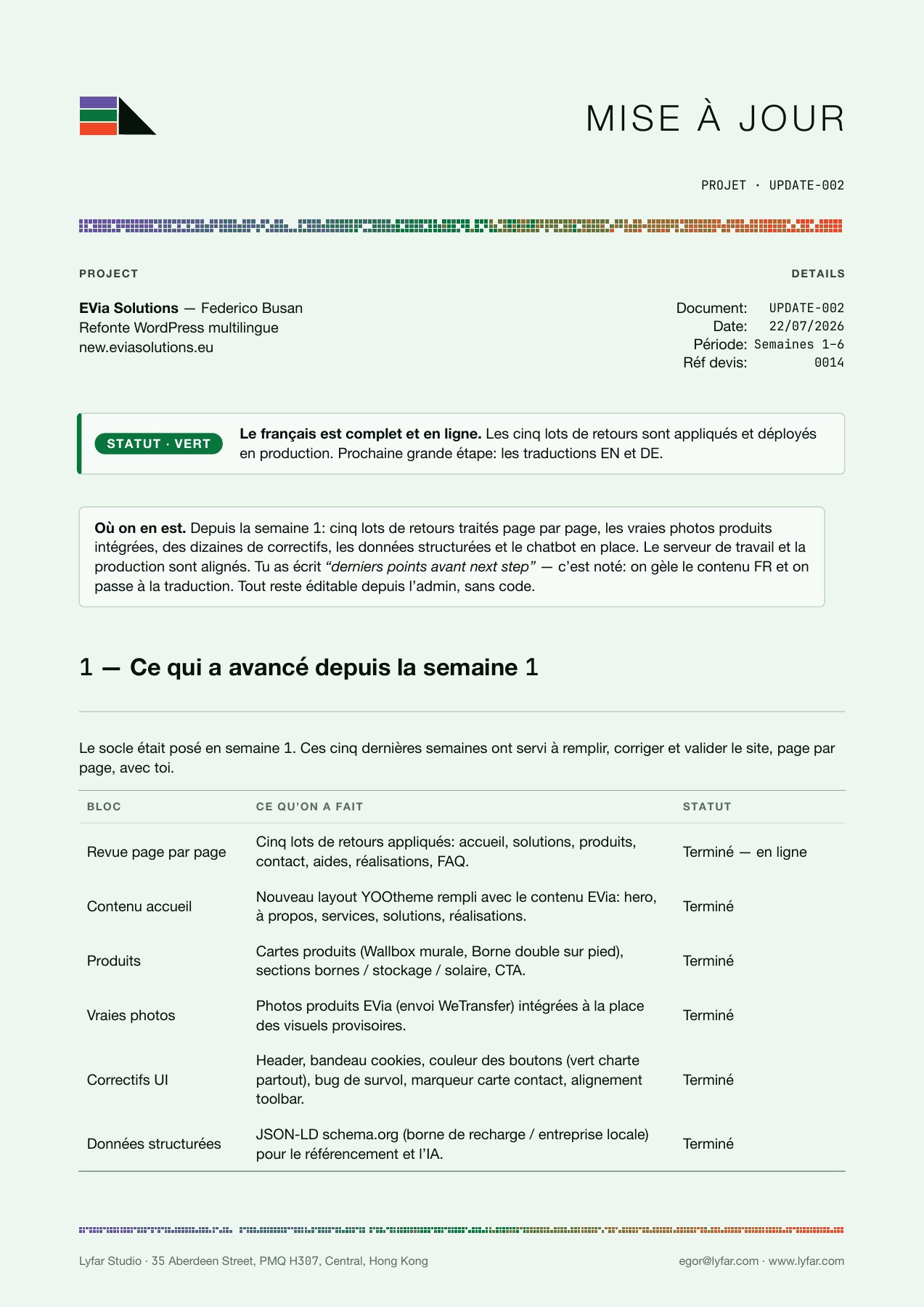
Original UPDATE-002 PDF, 22 July 2026. A historical project update, not a description of the site today.
The mint paper, thin rules, quiet tables and purple-green-orange detail come from the studio template. The wording belongs to that particular report. Changing one shouldn’t mean rebuilding the other.
Federico is a friend. He can survive a tiny person in his report. It doesn’t excuse making him hunt through six paragraphs to find out whether his website works. The green badge comes with a sentence that says what is complete and what happens next.
The EVia build story covers the website itself. Here, the useful part is how the same document machinery handled a scope, an interim update and a launch report without giving each one a different personality.
The document has parts you can change
Our scope package has separate files for the words, styling, layout and project dates. The project-update package reuses its style helpers and adds a status badge, a decisions box and a landscape timeline.
flowchart TB
  A["Report text + project dates"] --> C["Versioned Typst template"]
  B["Brand colours + fonts"] --> C
  C --> D["Compiled PDF"]
  D --> E["Render pages and inspect"]
A paragraph about translation lives with the report. Table spacing lives with the template. Dates live in YAML. You can review a change to any of those without guessing which of twenty identical-looking rectangles someone dragged three pixels to the left.
This is the document part of the one-person studio setup . The template handles the repeated layout work; I still have to decide what belongs in the report.
We keep the reusable packages in versioned folders, including lyfar.scope/0.1.0 and lyfar.project-update/0.1.0. Produced documents import the package they use. That gives the next report a place to start and the previous one a source we can inspect.
There is a catch: the version in a folder name isn’t a time machine. Preparing this post, we found that a saved example PDF still showed an older chart while the source already contained the pixel version. We rebuilt the example. The template screenshots below show that fresh render; the dated EVia screenshots come from the original PDFs. If you need exact reproduction later, keep the source revision, fonts and input data too.
Yes, the little people are a package
Pixel Family draws its characters as native vector shapes. We use three figures in the responsibility table: the studio, the project owner and collaborators. Each person gets a row with an actual job attached.
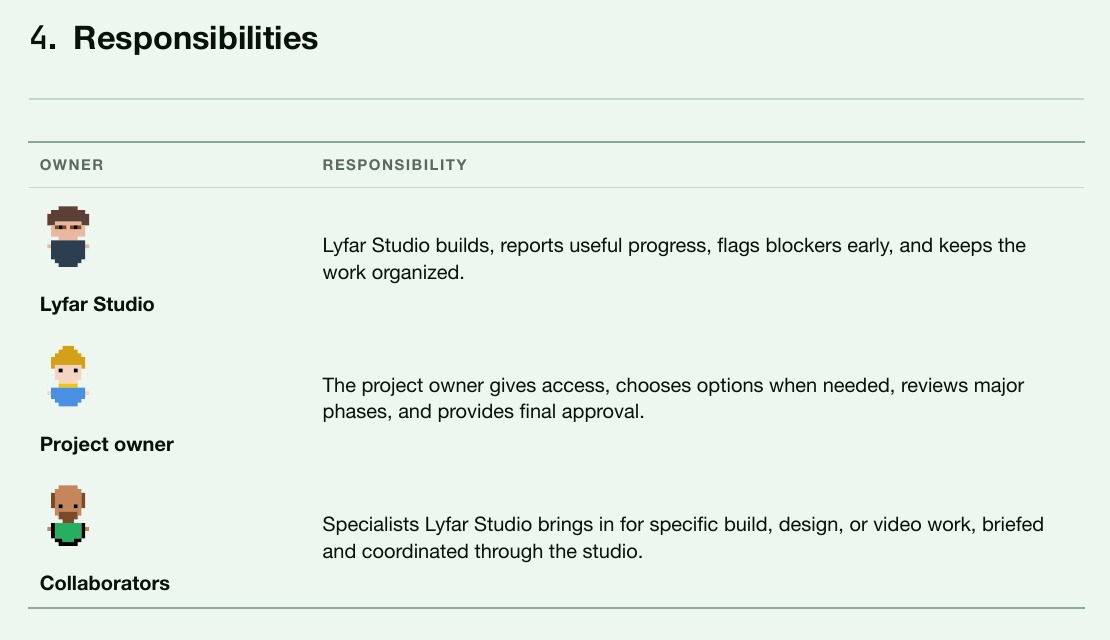
Detail from the current scope-template example. These are generic template roles.
The studio character uses Murphy, with our own colours. This is enough to render him:
#import "@preview/pixel-family:0.2.1": murphy

#murphy(
  size: 10mm,
  baseline: 0pt,
  skin: rgb("#e8b8a0"),
  hair: rgb("#5c4033"),
  shirt: rgb("#2c3e50"),
)
You don’t need to export a PNG, manage a transparent background or invent a new illustration workflow. The avatar lives beside the text and scales with the document. We adjust its colours for light, dark and e-ink themes, so the poor man doesn’t disappear when someone chooses dark mode.
The pixel bands across our pages are our own small Typst functions. We seed the pattern from the document identifier: different documents get different scatter, while rebuilding the same one keeps the pattern stable. I like a bit of disorder. I like it less when it changes during export.
A Gantt chart with a reason for each colour
Gantty works with calendar dates. Our template adds the studio’s visual language: purple for technology, green for creative work, orange for education. A parent phase mixes the disciplines in its child tasks. A late tail gets a separate red.
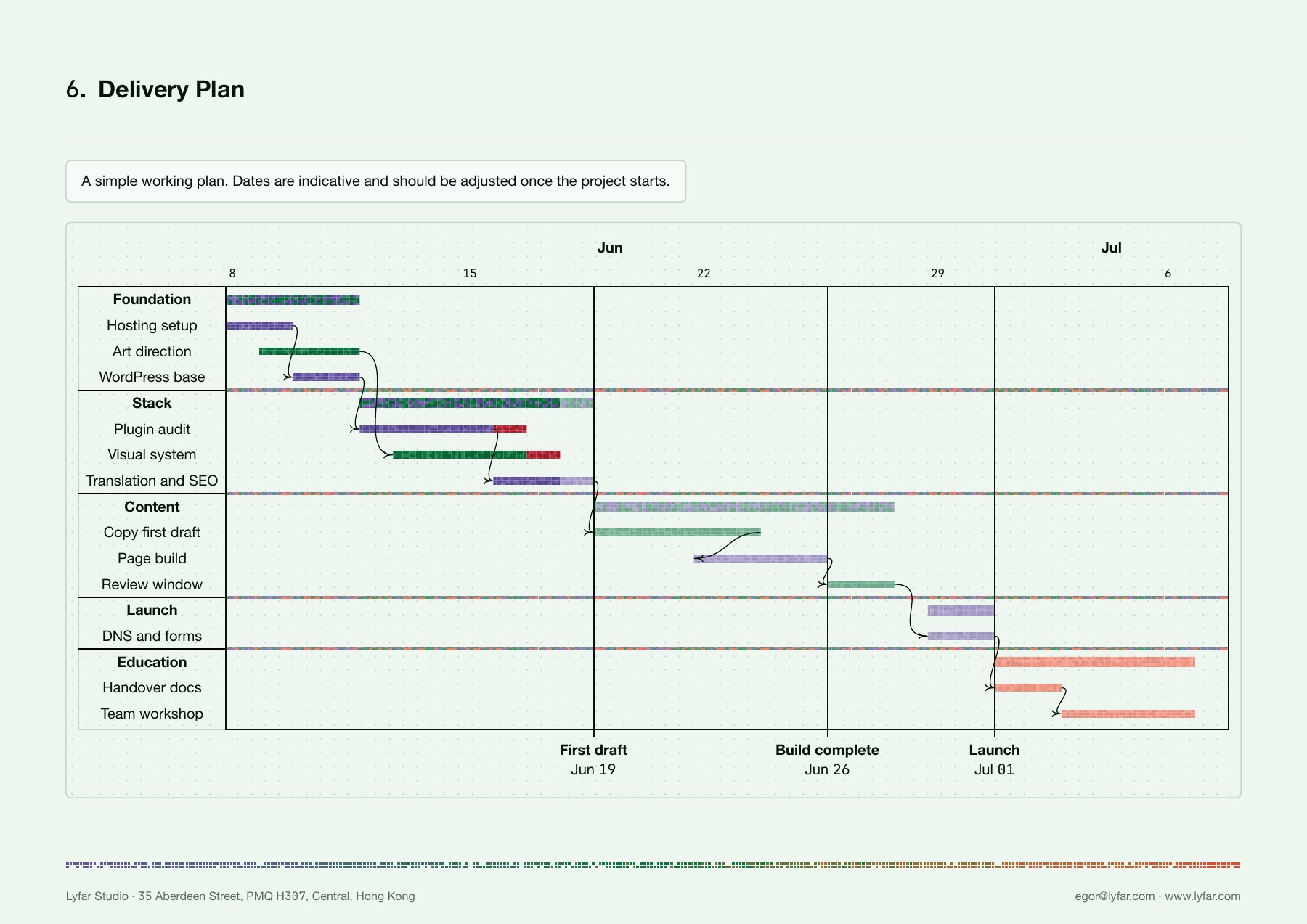
Current template demonstration with sample dates. This is not the delivered EVia schedule.
The YAML records the task, its dates and its discipline. Here is one task from the template’s sample plan:
tasks:
  - name: Foundation
    subtasks:
      - name: Hosting setup
        id: hosting
        start: 2026-06-08
        end: 2026-06-10
        done: 2026-06-10
        x:
          kind: tech
Gantty handles dates, dependencies and task structure. Our custom drawer reads x.kind to choose the pixel colours. You can start with the package’s standard chart before adding any of that:
#import "@preview/gantty:0.5.1" as gantty
#gantty.gantt(yaml("plan.yaml"))
That tiny example uses Gantty’s default styling. The branded chart above also needs our drawer, landscape page and dotted background.
This makes the planning conversation more specific. “Website work” becomes hosting, art direction, page building and handover. You can see where a phase needs technical work and creative work at the same time. And you can change a date without repainting a bar by hand.
The project board holds the tasks and their current state. A PDF is a dated explanation you can send, save and refer back to.
The packages earning their place
These are the package versions pinned in the templates shown here. Some have newer releases; these are our document dependencies, not a latest-version list.
| Package | Pin | Where we use it |
|---|---|---|
| Gantty | 0.5.1 | Dates, milestones, dependencies and Gantt charts. |
| CeTZ | 0.5.2 | Process sketches and the score gauges in the launch report. |
| Pixel Family | 0.2.1 | The characters in responsibility tables. |
| tblr | 0.5.0 | Shared table formatting, including our thin horizontal rules. |
| Deixis | 0.1.0 | Marked phrases, explanatory notes and connectors. |
| Marginalia | 0.3.1 | A separate template demonstration of flowing sidenotes and wider figures. |
| Bulb | 0.1.0 | Dithered image treatments in the template’s visual gallery. |
CeTZ deserves a small technical footnote: our Gantty drawer also imports CeTZ 0.4.2 under a separate name because it uses Gantty’s drawing primitives. Our standalone diagrams use 0.5.2. Replacing both imports with the newest number would be an exciting way to spend an afternoon.
Deixis is useful when a short sentence needs a qualification but doesn’t need to become three paragraphs. Mark the phrase, place the explanation beside it, connect the two.
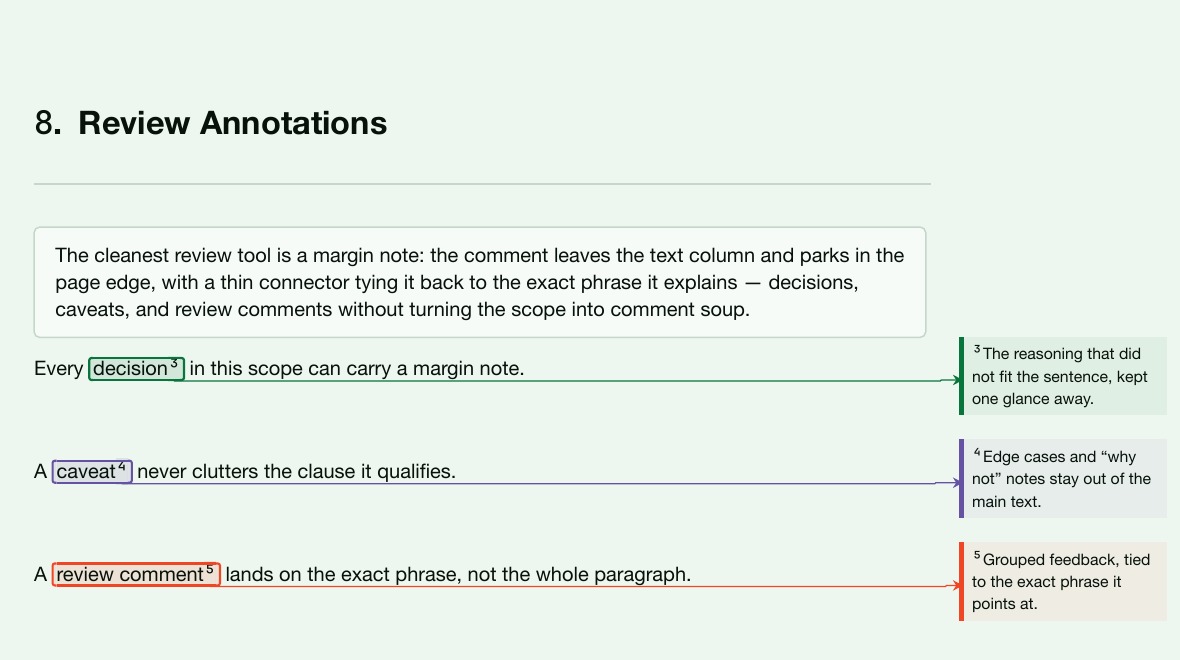
Deixis annotations in the scope-template demonstration.
Bulb handles a different job. In this template gallery, the same Hong Kong photograph becomes a black-and-white dot pattern, an RGB treatment and a reduced palette. Those are document experiments, not evidence that every client report needs to resemble a Game Boy.
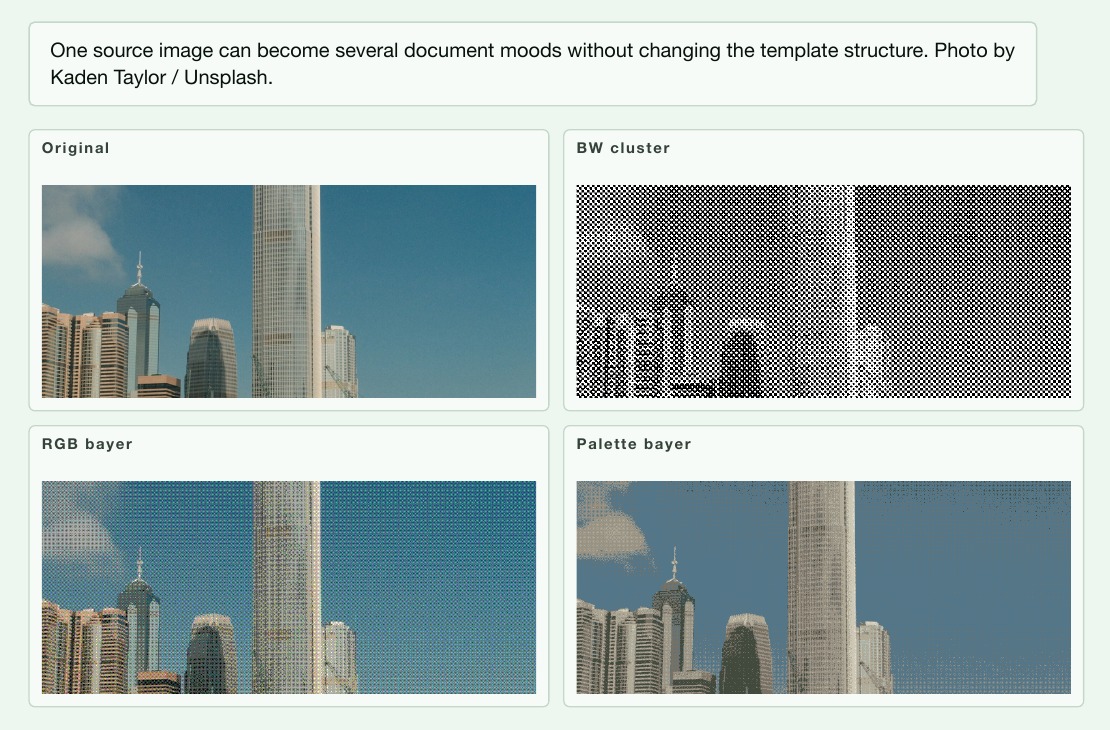
Template gallery rendered with Bulb. Source photograph: Kaden Taylor / Unsplash, credited in the document.
A pretty score still needs the right number
The August EVia launch report used CeTZ to draw performance gauges from numeric inputs. We kept the mobile score of 76 beside the desktop score of 100 and explained the mobile image-loading problem underneath. Making a number green would have required changing the number. Tempting graphic-design brief. Bad report.
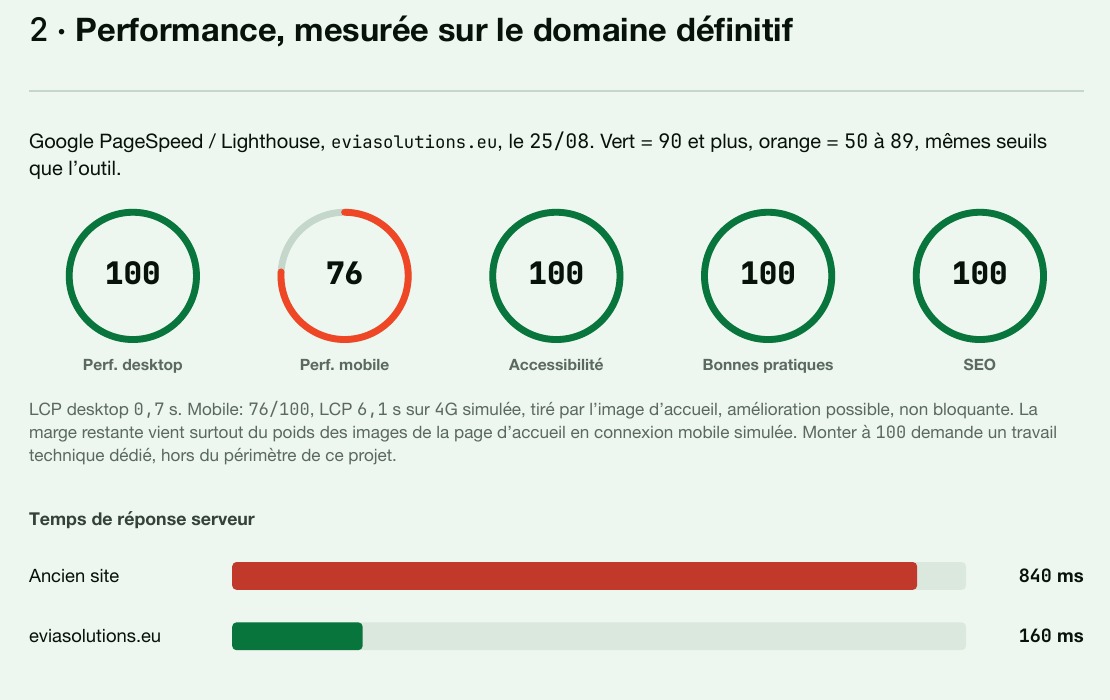
Detail from the original UPDATE-003 PDF, 25 August 2026. These are the measurements recorded then, not a current performance test.
We compile, render the pages and inspect them. A successful compile doesn’t tell you whether a table is cramped, a heading has landed alone or a chart needs a landscape page. We still have to look.
That’s the part I want to repeat across the studio: spend care on a component once, then use it in documents worth reading. Keep the source. Keep the awkward number. Give the reader a clear next action.
For your first attempt, take one report you keep recreating and build its responsibility table in Typst. Add the tiny person after you’ve written what they’re responsible for.
Interested in this?
Learn about Technology →