creative · Comparison
AI Video Tools for Brand Work: Compare the Controls
Published by Lyfar Studio, which offers services covered in this guide.
Last reviewed: .
Start with an approved product image and the movement you need from it. Choose an AI video tool by the controls that let you attempt that shot, then test whether the result survives the revisions your client will ask for. A convincing first generation is only part of the buying decision.
This comparison follows current official documentation. I haven’t run a controlled benchmark across these tools; the judgments below concern which documented controls fit a particular production task.
Four tools, different ways to direct a shot
Swipe across the table to compare all columns.
| Tool and route | Documented controls | A useful production test |
|---|---|---|
| Runway, Gen-4.5 | Text-to-video and image-to-video, with controls for aspect ratio, duration and frame rate. Gen-4.5 guide | Animate an approved starting image. Revise the motion prompt and check whether the product remains recognizable throughout both takes. |
| Adobe Firefly Video | First and last frames, plus a video reference for camera movement such as a pan or tilt. Camera-motion controls | Use a reference camera move with your own starting composition. Check the product when the viewing angle changes. |
| Google Veo 3.1 through Google Cloud | Workflows for first and last frames or subject-reference images | Test whether a subject stays consistent through the required action. Treat frame-guided and subject-reference generation as separate tests. |
| Luma, Ray3.2 API | Editing an existing video with guide frames, edit strength and conditioning controls. Video-editing guide | Restyle a source performance while checking which gestures and structural details survive the change. |
The route matters. Luma’s row describes an API workflow, which needs someone to build or operate that connection. Adobe’s app also offers models from other providers ; the Firefly Video controls above belong to the named model. Check what your chosen interface exposes before planning the shot around a feature.
I would start with the control the shot depends on. For an existing performance that needs a different visual treatment, examine video editing. For an approved still that needs a simple gesture, test image-to-video. A reference for camera movement is useful when the move itself is part of the treatment. The finished clips still need review against the brief.
Give the tools a brief you can evaluate
Choose one approved image with enough detail to expose a failure. A plain object floating in darkness tells you little about a patterned garment worn by someone moving through a room. Use material you have permission to submit, and check the selected service’s terms for your intended use.
For example, a test could ask a model to turn toward the camera while keeping the front of a jacket visible. Mark the details that must survive: the jacket’s fastening and the placement of its print. Keep the desired camera move modest enough that you can tell whether the action happened.
Use the same approved still for each image-to-video test. For video-to-video editing, prepare a separate source clip and review how the edit changes it. Record the inputs and selected model with each result so those two tasks remain distinguishable.
Set a trial budget before generating. Include time spent correcting the input frame and reviewing failed takes. Then request one specific revision, such as a slower turn. That second attempt shows what happens when the client changes direction after seeing an initial result.
What my Kowloon film exposed
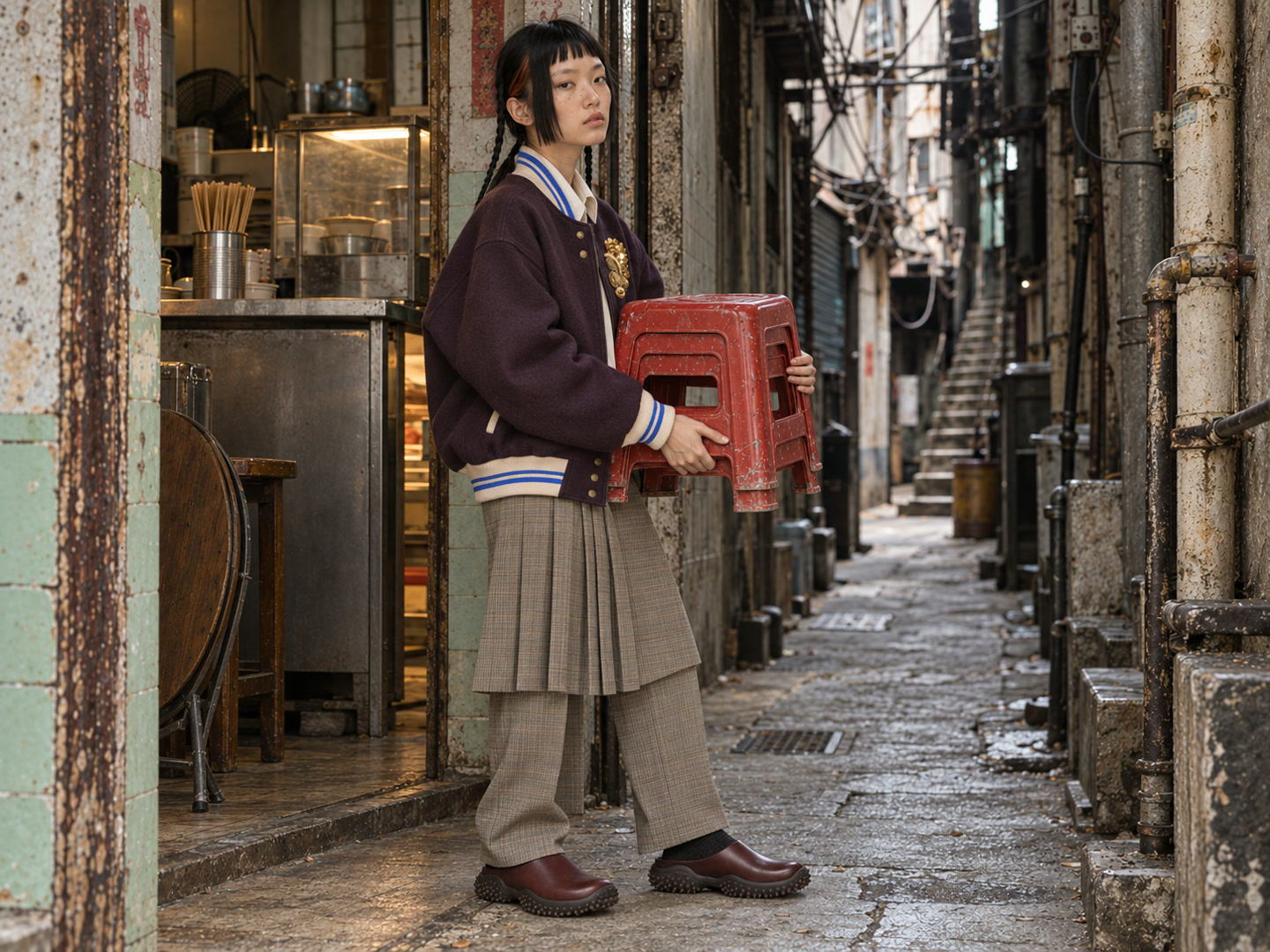
For the Kowloon fashion study , I used real garment photographs to direct fictional models in generated scenes. I reviewed still frames before generating motion and kept scene records with prompts and candidate versions. The finished edit runs about 47 seconds and includes archival Hong Kong footage and edited sound. It was an independent studio study, with no commission or affiliation from the wardrobe brands.
I generated 24 candidate video takes. A convincing image still produced the wrong action: in one scene, a character was supposed to press paper along a bamboo rib while making a lantern. The generated action lowered the paper to the bench instead. I used a short excerpt that worked in the edit.
Garment details drifted too. A recognizable silhouette did not mean that a fine print or colour remained exact. Those are separate acceptance questions, and the project record makes the difference visible. It is why I would test a tool with the actual product reference before presenting an approach to a client.
Review the sequence and the delivered files
Watch the full clip at normal speed, then inspect the difficult movement frame by frame. Check the product during turns and contact with hands. Look for unrequested cuts or changes in identity. Place the take beside the next shot: a small wardrobe change becomes much more obvious at the edit point.
Review the proposed crop with captions and other graphics present. Check whether the subject remains readable in the final delivery format. Keep space for the editor to enter and leave the shot cleanly; a usable middle section may be much shorter than the generated clip.
Before commissioning a complete film, agree what the producer will deliver beyond candidate generations. Ask for an edited sequence with sound, the required versions and a clear revision scope. If you need to revisit a scene later, include its source references and generation records in the handover discussion.
For help deciding which scenes to generate or film, read the AI production guide . Lyfar’s Creative work combines production with art direction. Send the product reference and the shot you want to make ; we can test the difficult part before planning the full edit.
Interested in this?
Learn about Creative Production →Related guides
Animation Studios in Hong Kong: Find the Right Production Approach
Compare Hong Kong animation specialists and Lyfar's AI and live-action approach, with practical questions about style, revisions and editable assets.

Hong Kong Video Production Companies: Compare the Fit for Your Film
Compare Lyfar Studio, Lime, Casual, Visual Suspect and Eye Eye by their published work, then ask for quotes against the same video brief.
Corporate Video Production in Hong Kong: Brief the Interview Before the Shoot
A practical brief for corporate and interview video production in Hong Kong: the message, room, languages, approvals and deliverables to settle before filming.