technology
A Shopify storefront you can play with
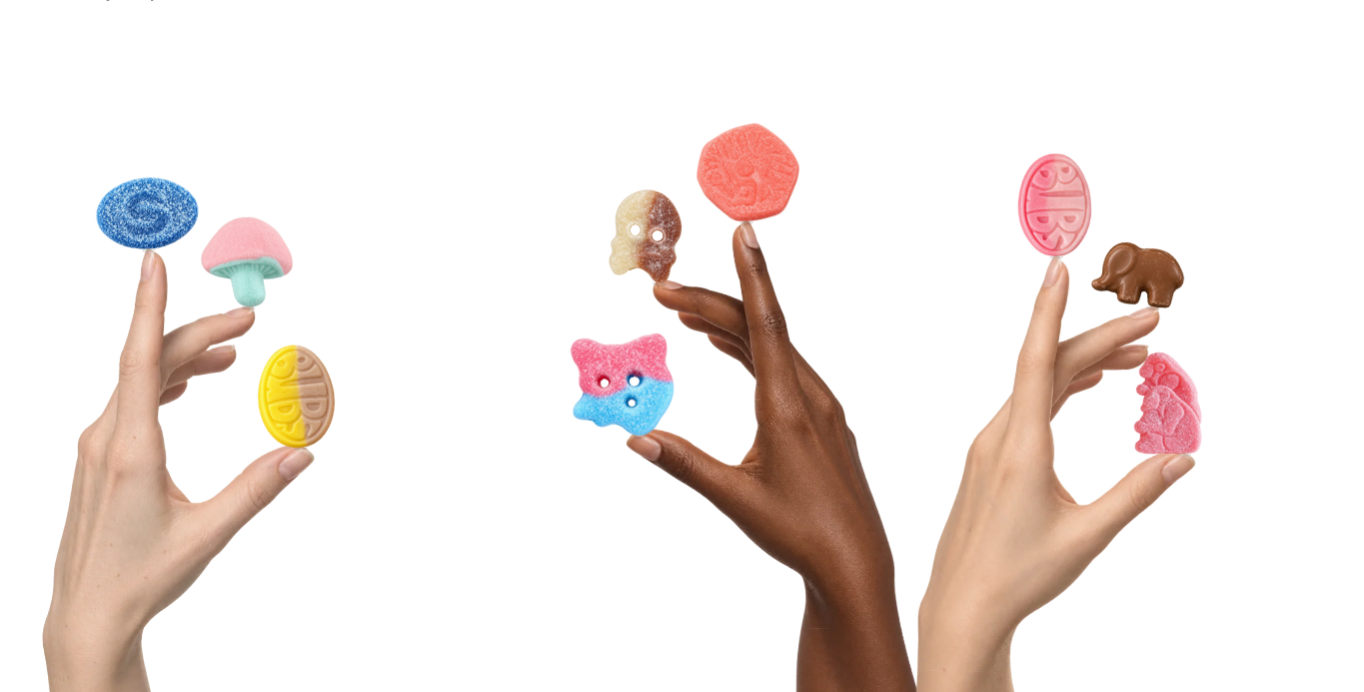
Move your cursor and three hands lean with it. Tap a sweet and the candies start hopping between fingertips. The one at the end jumps across to the next hand.
We built this as a custom Shopify app, with 11 products in a demo store. You can play with the sweets, choose one, then open its normal product page. The shop owner controls what appears through Shopify.
A new display for an existing shop
Your store already has products, stock rules and a checkout. You don’t need to replace all of that to give visitors a different way to explore a collection.
Fidget Book adds an interactive block to the existing theme. Think of it as commissioning a shop window: we design the display around your products, while your team keeps running the shop.
We started with our earlier Fidget Book experiments , where visitors balance objects on a hand and open a wheel of products. For the Shopify version, we reused the hand artwork and developed a new interaction around candy. Three hands gave us room for several products and a reason for them to move between one another.
Give each product its own artwork
A bag of sweets makes sense in a product gallery. On a fingertip, we wanted a single candy. We prepared isolated artwork from the product photographs and gave it a separate home: a product field called Fidget Book Art.


The normal product photos stay in the gallery. We supply the scene artwork and a guide matching each image to its product. You can use an existing collection; the block shows the products that have artwork assigned.
After installing the app, the owner has three jobs:
- Add the Fidget Book block in the Shopify theme editor.
- Open each product’s Fidget Book Art field, select its prepared image and save.
- Choose the collection and decide whether to hide sold-out products.
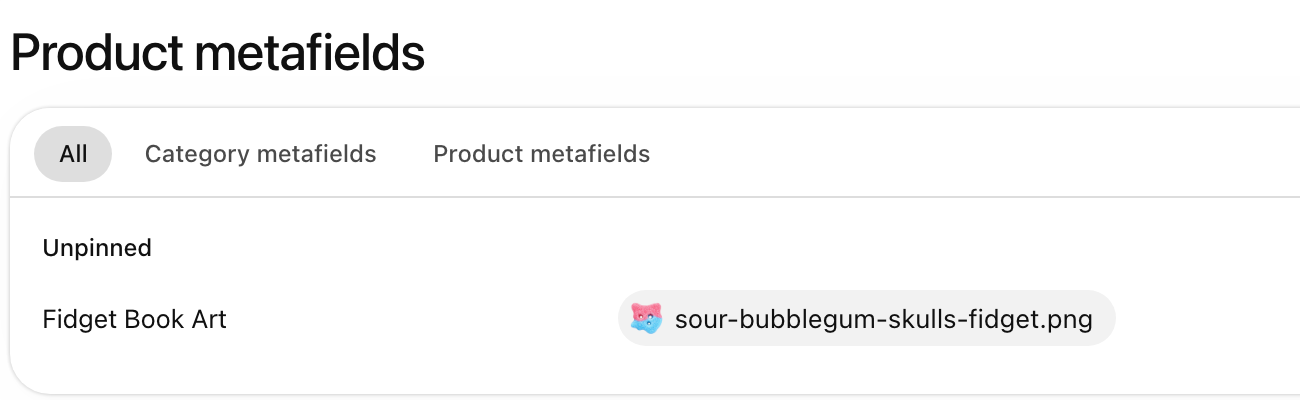
Clear the art field and that product leaves the scene. Delete the product and it leaves, too. Those changes appear on the next page load; an already-open tab doesn’t update itself.
That connection matters after the launch. You can change what you sell without asking us to edit a list inside the animation.
We used the same handover principle for Federico’s multilingual EVia site : pages, menus and translations stay editable in the tools his team uses.
Let people play before they shop
We made one deliberate choice: tapping a candy keeps you in the scene. It passes the sweets and selects the product. Take a closer look, below the hands, opens its Shopify page when you’re ready.
Some development work was less visible. A transparent margin around a candy image made it appear to float above the finger. We changed the positioning to follow the visible shape, so the sweet rests on the fingertip as the hand moves.
On a phone, we staggered the hands vertically instead of shrinking the desktop arrangement. Drag to sway them; tap to pass the sweets. The pause control and reduced-motion setting let you change the selection without the animated jumps.
A custom block for your brand
For a custom Shopify app or storefront section, we start with your brand and the products you want to show. We develop the concept with you, prepare the artwork and build the interaction. Your team manages the products inside its own store.
The candy study uses public MUMS Treats photographs as references for AI-adapted artwork. It’s an independent development-store prototype, not a MUMS commission.
The working Shopify demo is password protected. Send us your store and the products you’d like to feature , or ask for access to try the sweets yourself.
Watch the earlier Fidget Book concept
Build notes
We built a theme app extension with an app-owned image metafield. This prototype scans up to 250 collection products and includes up to 50 with artwork. Larger catalogues need additional work. It has no public App Store listing.
We checked desktop and touch behaviour in Chromium, plus loading, relay and reduced-motion checks in WebKit and Firefox. The mobile clip uses browser emulation. The admin image is a browser-rendered capture of the logged-in store’s live DOM and styles.
Interested in this?
Learn about Technology →